
How to Install TiviMate on Firestick For Free
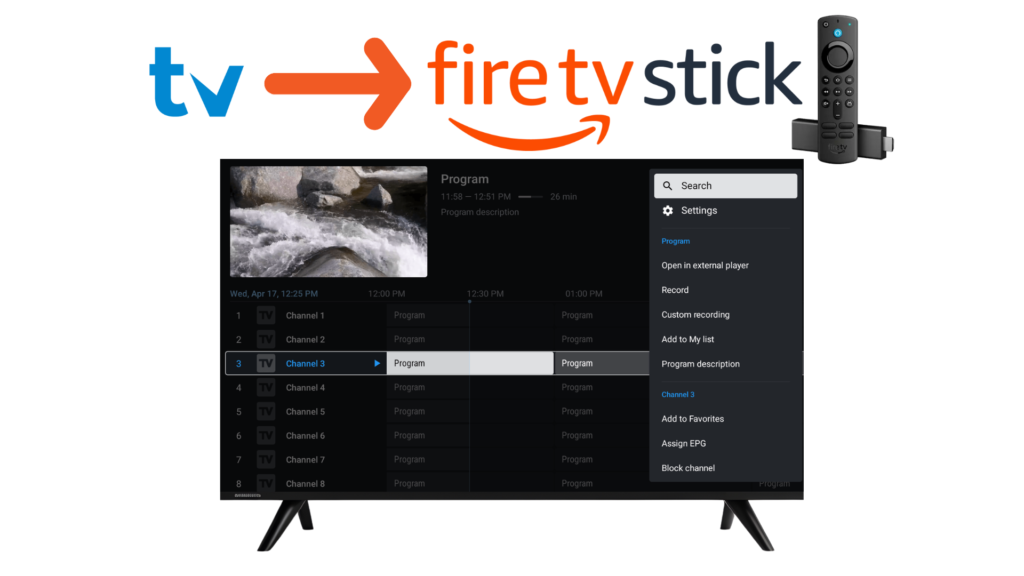
TiviMate IPTV Player is one of the best IPTV players available, and it works perfectly on Amazon Firestick. In this guide, you’ll learn how to install and set up TiviMate on Firestick step by step, even though it’s not directly available on the Amazon App Store.
⚠️ Important: TiviMate is an IPTV player only. It does not provide channels or IPTV subscriptions.
REQUIREMENTS
Before you begin, make sure you have:
- Amazon Firestick / Fire TV
- Stable internet connection
- IPTV playlist (M3U URL or Xtream Codes) from your provider
- A smartphone or PC (optional, for easier setup)
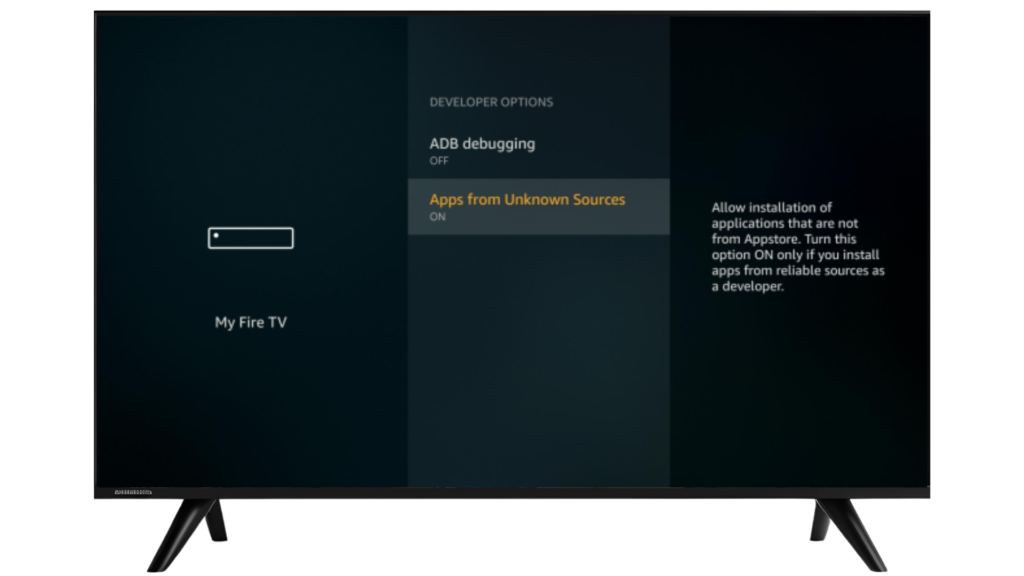
STEP 1: ENABLE APPS FROM UNKNOWN SOURCES
To install TiviMate on Firestick, you must allow third-party apps.
1 – Go to Settings on your Firestick
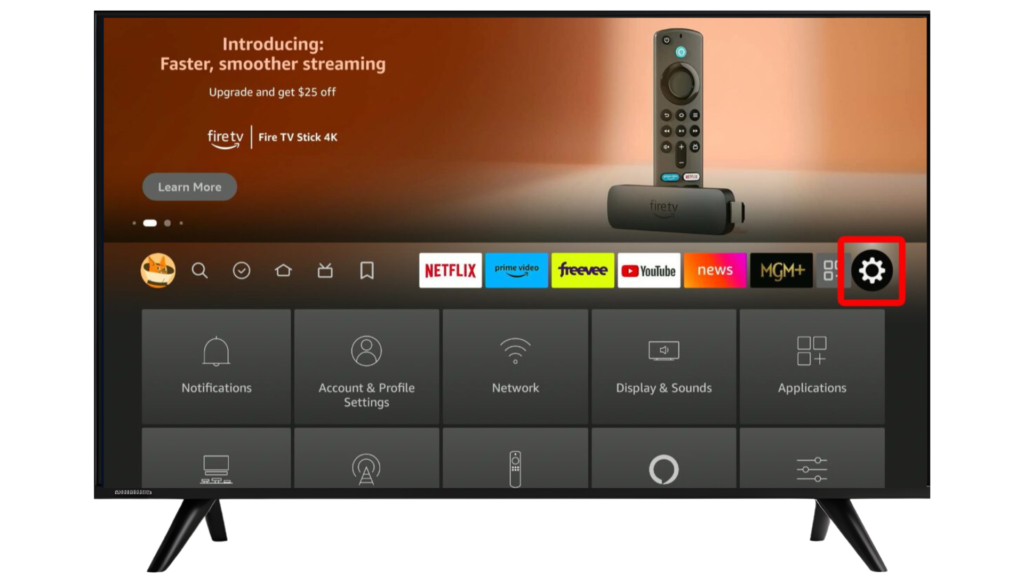
2 – Select My Fire TV
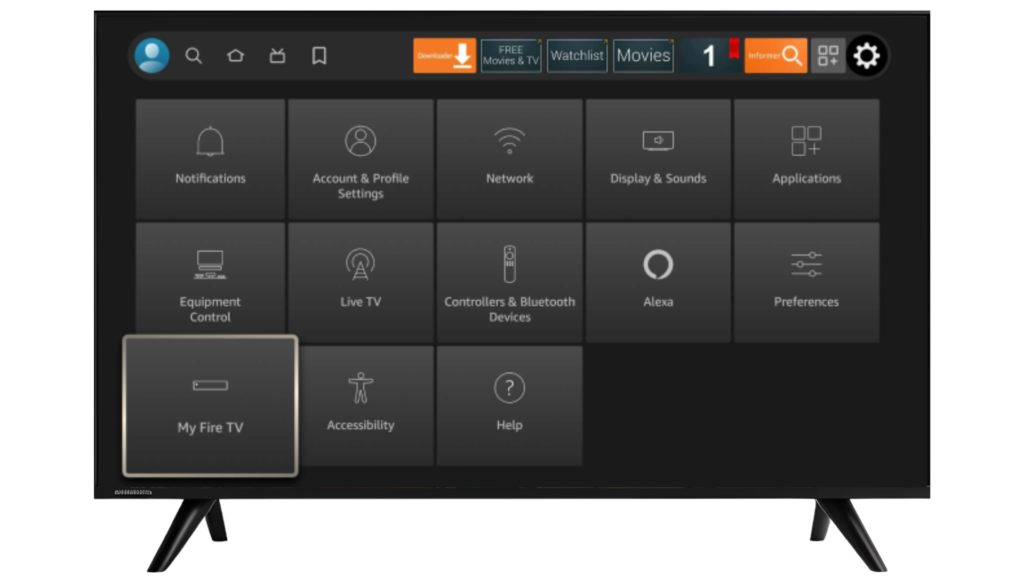
3 – Open Developer Options
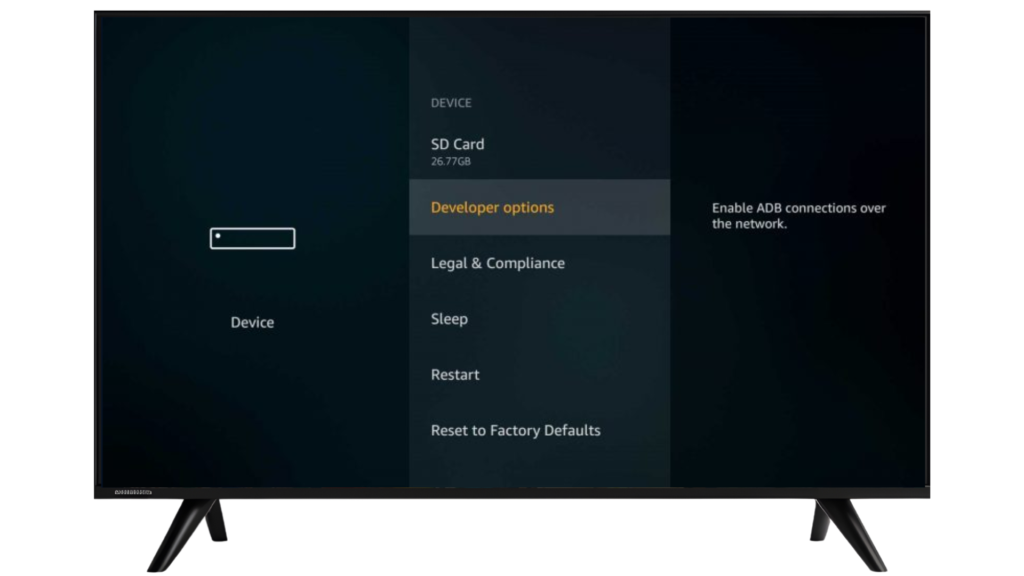
4 – Enable Apps from Unknown Sources
STEP 2: INSTALL THE DOWNLOADER APP
Downloader is required to install TiviMate on Firestick.
1 – From the Firestick home screen, select Search
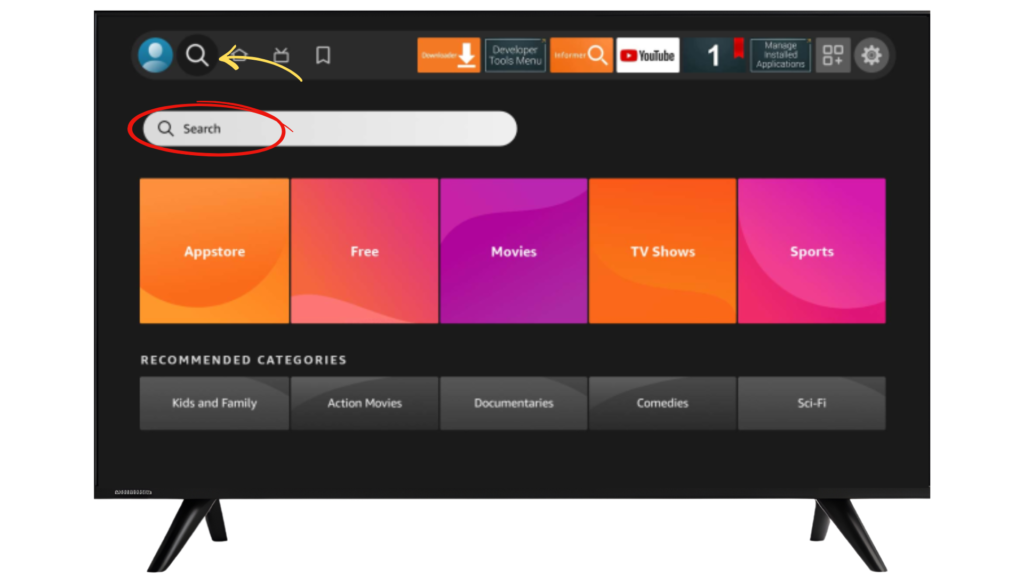
2 – Type Downloader
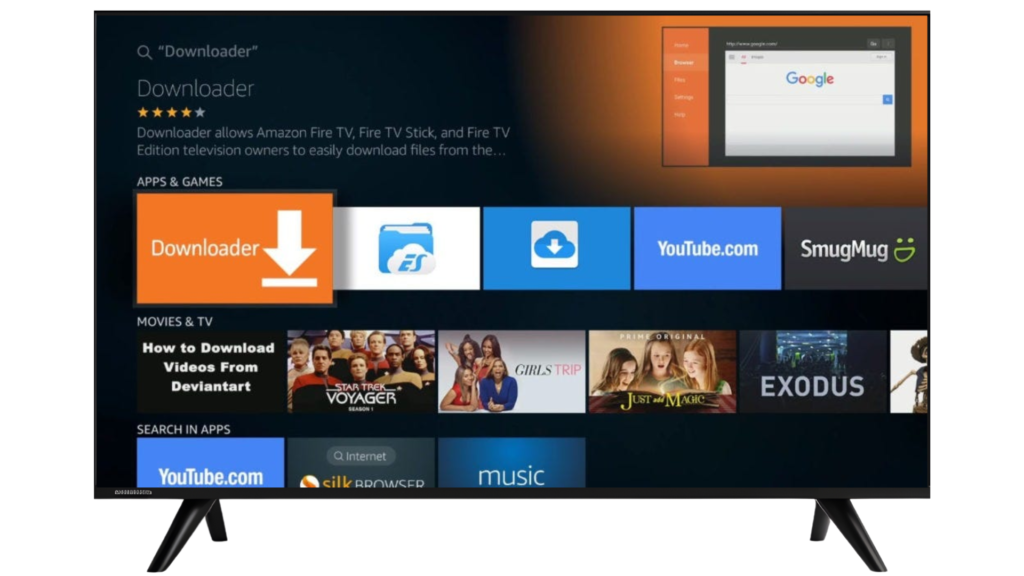
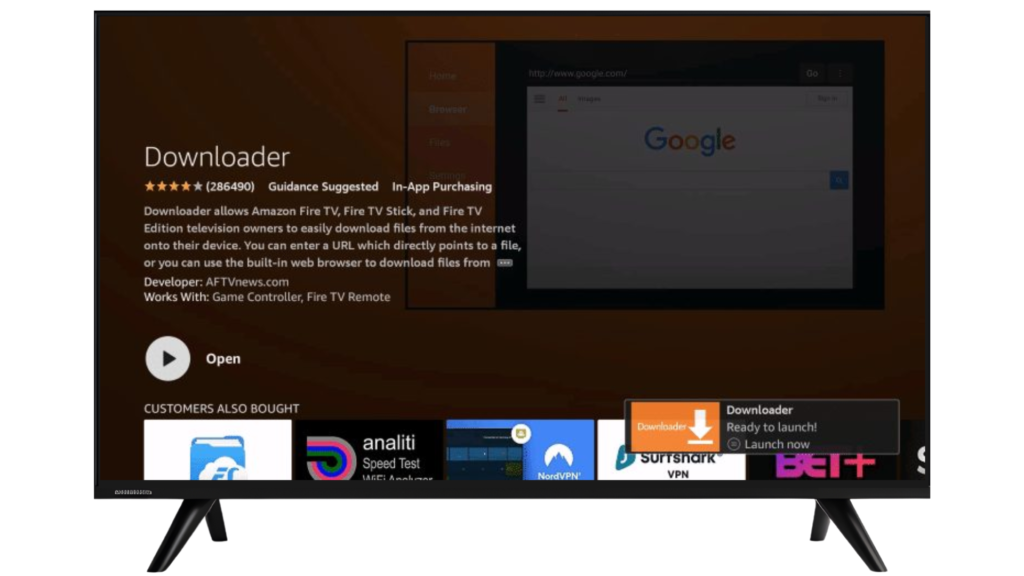
3 – Install the Downloader app by AFTVnews
STEP 3: DOWNLOAD TIVIMATE APK
1 – Open Downloader
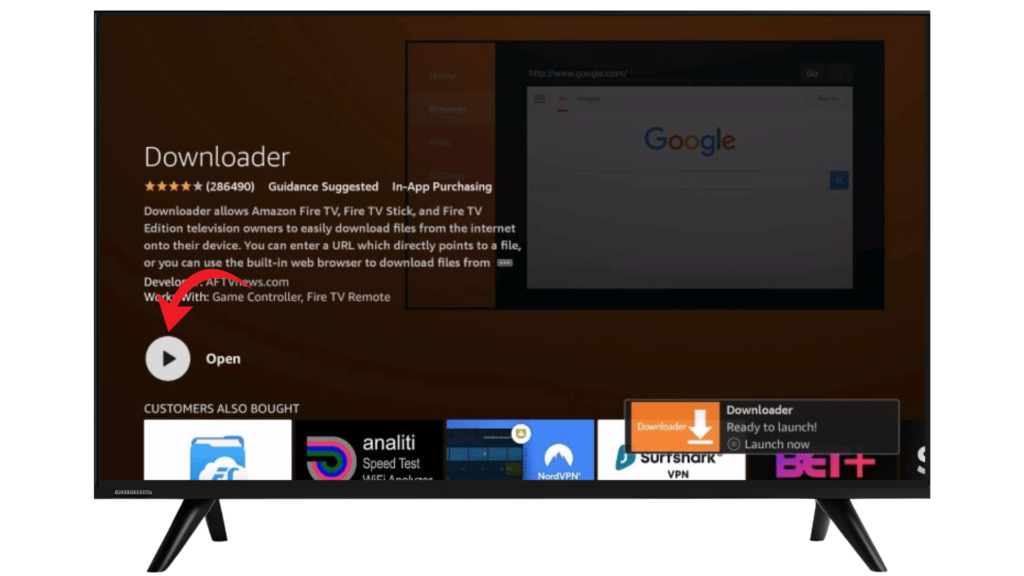
2 – Enter the official TiviMate APK URL “http://tivimates.co/tivimate.apk” Or Enter this Number Downloader code is 272483.
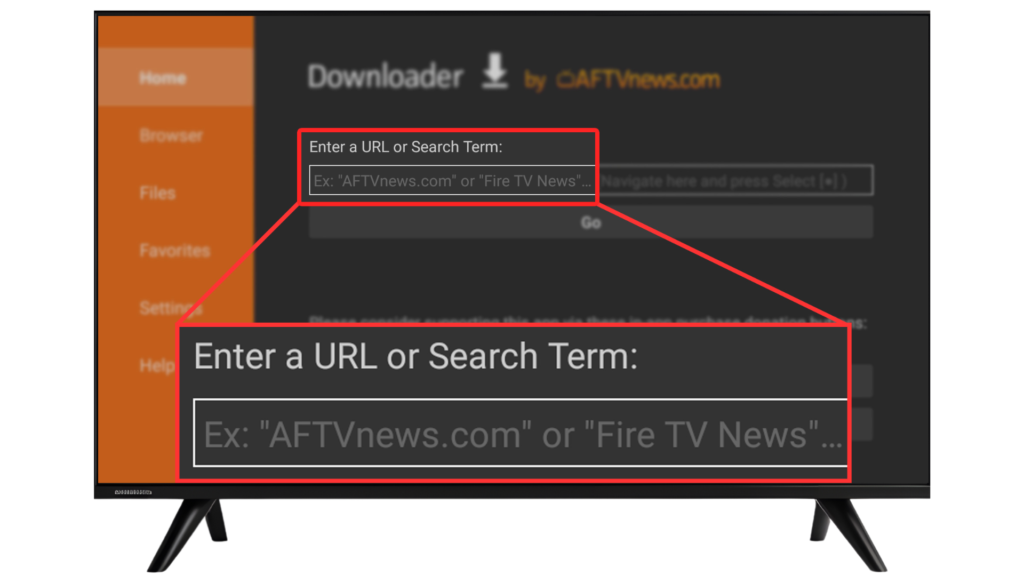
3 – Press Go
4 – Wait for the file to download
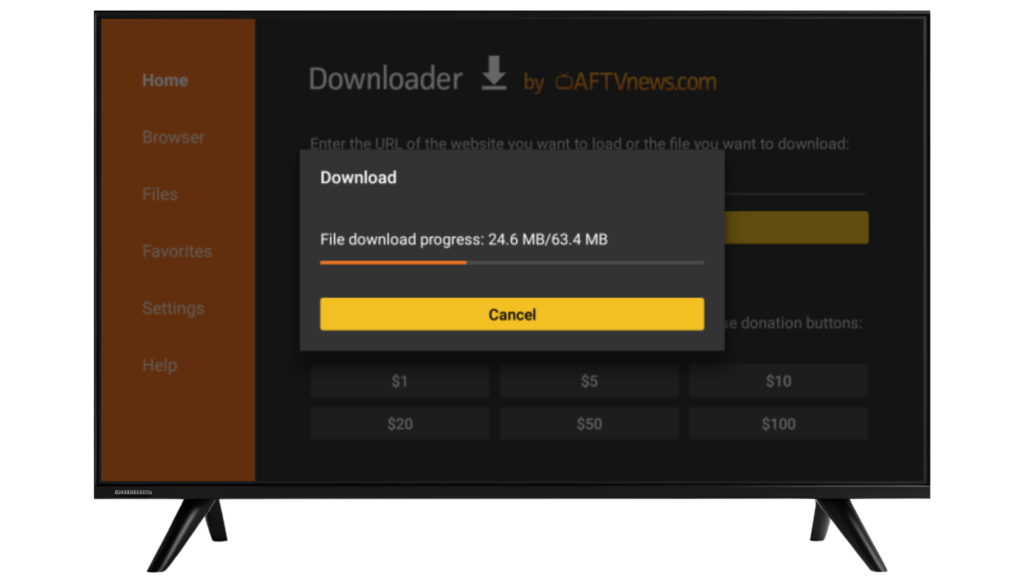
STEP 4: INSTALL TIVIMATE ON FIRESTICK
1 – After download completes, select Install
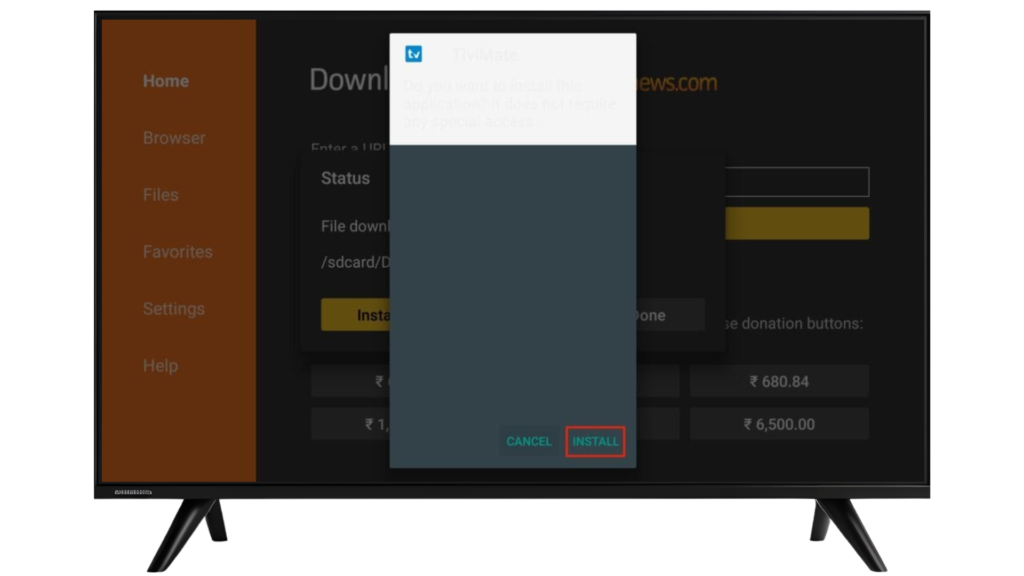
2 – Wait for installation to finish
3 – After installation, delete the APK from your device.
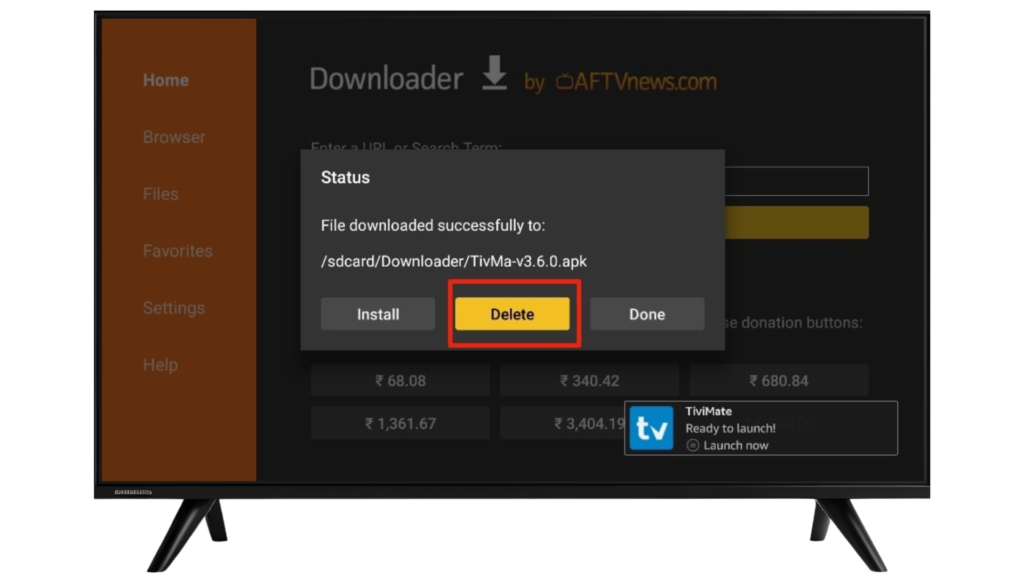
STEP 5: OPEN TIVIMATE & ADD PLAYLIST
When you launch TiviMate for the first time:
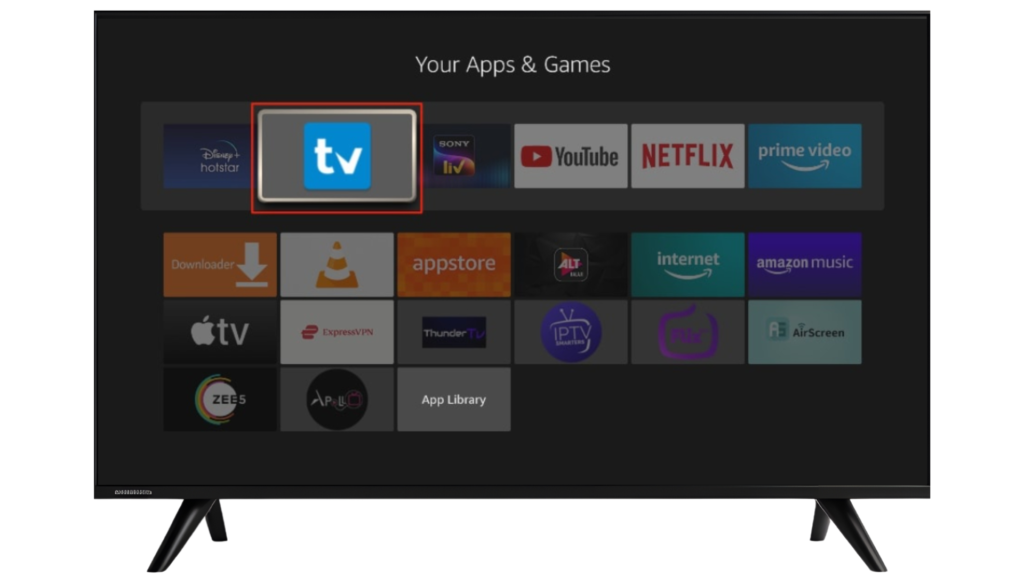
1 – Select Add Playlist
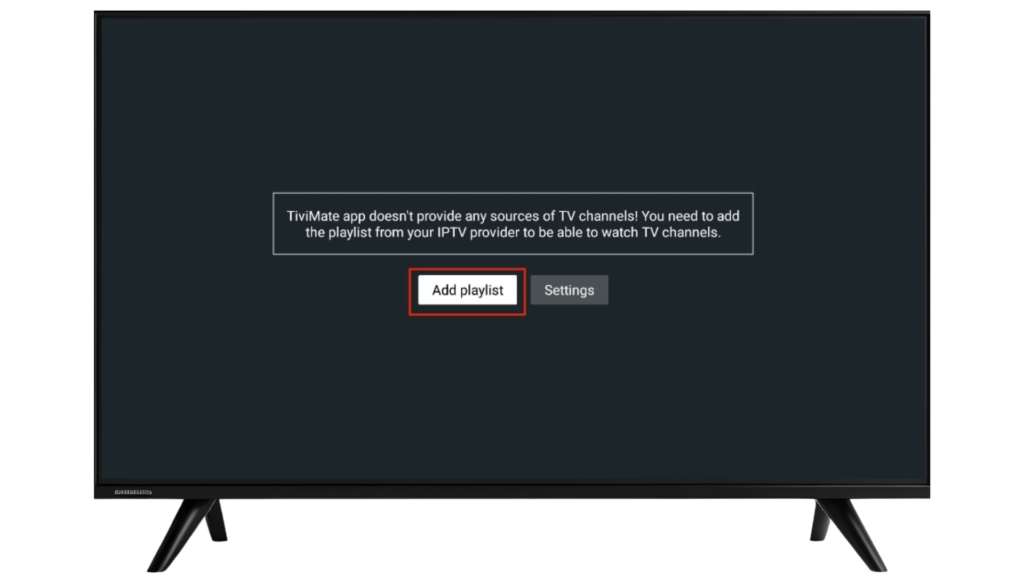
2 – Choose M3U Playlist or Xtream Codes Login
3 – Enter your IPTV details
4 – Load channels
STEP 6: ENABLE EPG (TV GUIDE)
To activate the TV guide:
1 – Go to Settings
2 – Select EPG
3 – Update EPG data
TIVIMATE TIPS FOR FIRESTICK USERS
Improve Performance
- Close background apps
- Use strong Wi-Fi or Ethernet
- Keep TiviMate updated
Customize Interface
Enable favorites
- Sort channels
- Adjust layout & themes
IS TIVIMATE LEGAL ON FIRESTICK?
Yes. TiviMate is a legal IPTV player.
It does not host or provide channels. Users must ensure their IPTV playlists are obtained legally.
Frequently Asked Questions – TiviMate on Android TV
No. TiviMate is not available on the Amazon App Store, so it must be installed on Firestick using the Downloader app.
Yes. Installing TiviMate on Firestick is safe when downloaded from the official source. Always avoid unknown or modified APK files.
Yes. The Downloader app is required to download and install the TiviMate APK on Firestick.
No. TiviMate is an IPTV player only and does not provide channels, media, or IPTV subscriptions.
You need a Firestick device, an internet connection, and an IPTV playlist (M3U URL or Xtream Codes) from a third-party provider.
Make sure Apps from Unknown Sources is enabled and Downloader has the required permissions.
Yes. TiviMate allows you to add and manage multiple IPTV playlists.
Yes. TiviMate supports EPG (Electronic Program Guide) when your IPTV source includes EPG data.
TiviMate offers a free version with basic features. Additional features may be available through optional in-app upgrades.
Updates must be installed manually by downloading the latest APK using Downloader.
Yes. TiviMate is a legal media player. Users are responsible for ensuring their IPTV playlists are legally obtained.
FINAL THOUGHTS
Installing TiviMate on Firestick is quick and simple using Downloader. Once set up, you’ll enjoy a smooth, customizable IPTV player experience optimized for TV screens.