
How to Get TiviMate Premium
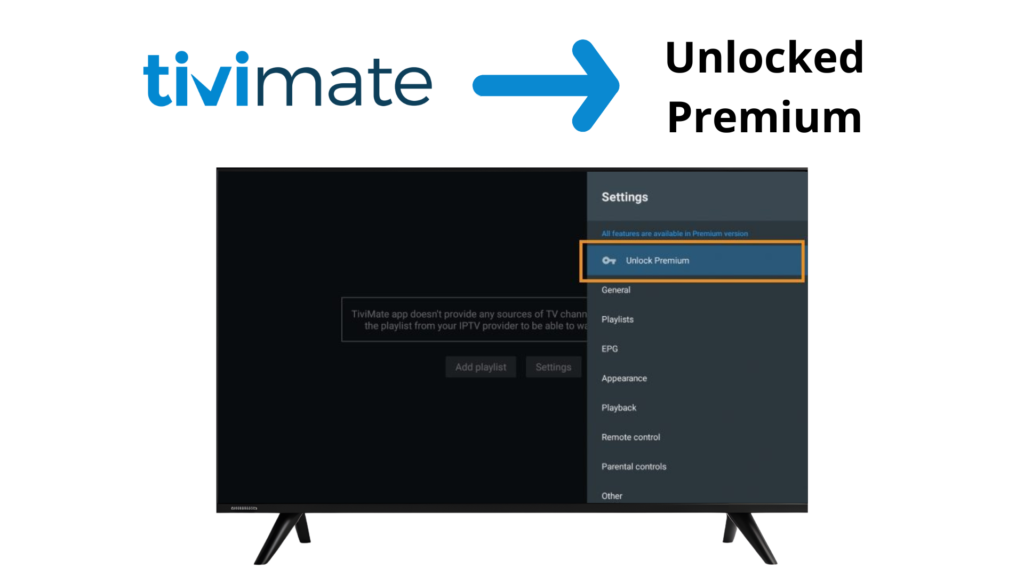
TiviMate IPTV Player offers a free version with basic features, but many users choose TiviMate Premium to unlock advanced options such as playlist management, recording, and customization.
In this guide, you’ll learn what TiviMate Premium is, what features it includes, and how to get TiviMate Premium step by step.
⚠️ Important: TiviMate is an IPTV player only. It does not provide IPTV channels, playlists, or subscriptions.
WHAT IS TIVIMATE PREMIUM?
TiviMate Premium is the paid version of TiviMate IPTV Player that unlocks additional features not available in the free version.
Premium is linked to your Google account and can be used on supported devices after activation.
TIVIMATE FREE VS PREMIUM
Feature | Free Version | Premium Version |
Play IPTV Channels | ✔ | ✔ |
Multiple Playlists | ❌ | ✔ |
Favorites & Groups | Limited | ✔ |
EPG Customization | ❌ | ✔ |
Recording (if supported) | ❌ | ✔ |
Backup & Restore | ❌ | ✔ |
Multi-view | ❌ | ✔ |
Interface Customization | Limited | ✔ |
WHAT YOU NEED TO GET TIVIMATE PREMIUM
Before upgrading, make sure you have:
- An Android TV device or Firestick
- A Google account
- Internet connection
- TiviMate installed on your device
METHOD 1: GET TIVIMATE PREMIUM USING THE COMPANION APP (RECOMMENDED)
The official way to activate Premium is through the TiviMate Companion App.
Step 1: Install TiviMate Companion App
On your Android phone or tablet:
1 – Open Google Play Store
2 – Search for TiviMate Companion
3 – Install the app
Step 1: Install TiviMate Companion App
Open the Companion app and sign in using the same Google account you use on your TV device.
Step 3: Purchase Premium
Inside the app:
1 – Select a Premium plan
2 – Complete the purchase via Google Play
Step 4: Activate Premium on Your TV
On your TV device:
1 – Open TiviMate
2 – Go to Settings → Unlock Premium
3 – Sign in with the same Google account
Premium features will unlock automatically
METHOD 2: RESTORE TIVIMATE PREMIUM (IF ALREADY PURCHASED)
If you already bought Premium:
1 – Open TiviMate
2 – Go to Settings → Unlock Premium
3 – Choose Restore Purchase
COMMON TIVIMATE PREMIUM ISSUES & FIXES
Premium Not Activating
✔ Make sure you’re using the same Google account
✔ Restart the app
✔ Check internet connection
Companion App Not Working
✔ Update the app
✔ Clear cache
✔ Try a different Android device
IMPORTANT NOTES ABOUT TIVIMATE PREMIUM
- Premium is not a subscription to IPTV channels
- Premium only unlocks player features
- IPTV playlists must be added separately
- Do not buy Premium from unofficial websites
IS TIVIMATE PREMIUM LEGAL?
Yes. TiviMate Premium is a legal paid upgrade for the TiviMate IPTV Player. It does not include or provide any TV channels or copyrighted content.
FINAL THOUGHTS
TiviMate Premium is worth upgrading if you want advanced features, better organization, and more control over your IPTV experience. The Companion App makes activation simple and secure.