
How to Add Xtream Codes to TiviMate Player
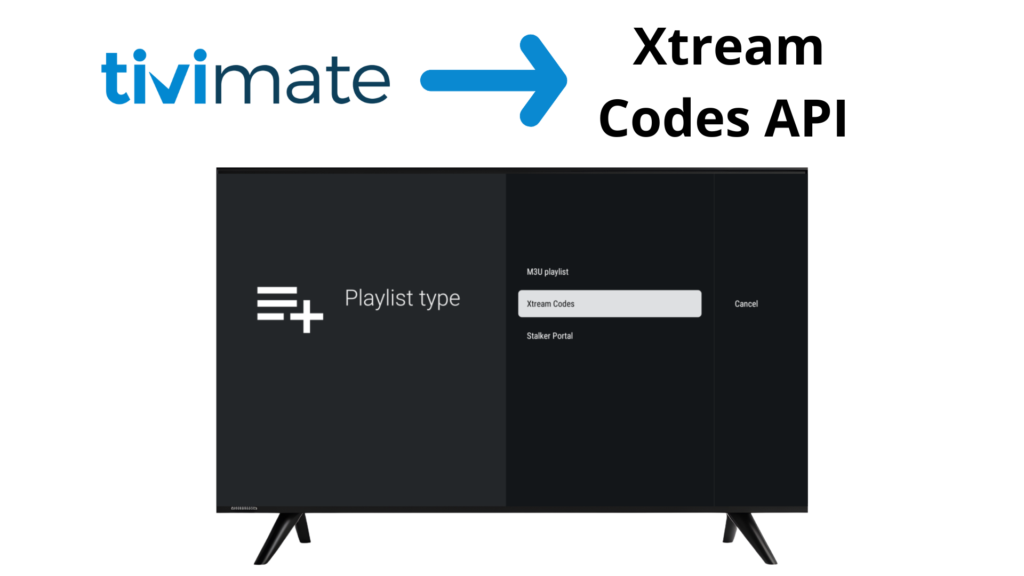
Xtream Codes API is one of the most popular login methods used in IPTV players like TiviMate. Instead of long M3U URLs, Xtream Codes allows users to log in using simple credentials such as a server URL, username, and password.
In this guide, you’ll learn what Xtream Codes API is, how it works, and how to use Xtream Codes with TiviMate IPTV Player.
⚠️ Important: TiviMate is an IPTV player only. It does not provide playlists, servers, or channels.
WHAT IS XTREAM CODES API?
Xtream Codes API is a login-based IPTV system that lets users access IPTV playlists using:
- Server URL
- Username
- Password
Once entered into an IPTV player, the API automatically loads:
- Live TV channels
- Movies (VOD)
- TV series
- EPG (TV Guide)
No long playlist links
Easier setup
Better organization
XTREAM CODES VS M3U PLAYLIST
Feature | Xtream Codes API | M3U Playlist |
Login Method | URL + Username + Password | Long URL |
Ease of Use | Very Easy | Medium |
EPG Support | Automatic | Manual |
VOD & Series | Built-in | Depends |
Playlist Updates | Automatic | Manual refresh |
WHAT YOU NEED TO USE XTREAM CODES
Before starting, make sure you have:
- An IPTV player (such as TiviMate)
- Xtream Codes login details from your IPTV provider
- Stable internet connection
HOW TO USE XTREAM CODES API IN TIVIMATE
Step 1: Open TiviMate
Launch TiviMate IPTV Player on your device.
Step 2: Add a New Playlist
1. Select Add Playlist
2. Choose Xtream Codes Login
Step 3: Enter Xtream Codes Details
Enter the following information:
- Server URL
- Username
- Password
Then click Next.
Step 4: Load Channels & Content
TiviMate will automatically load:
- Live TV channels
- Movies (VOD)
- Series
- EPG data
ADVANTAGES OF USING XTREAM CODES IN TIVIMATE
Faster Setup
No need to paste long or complex playlist URLs.
Automatic Updates
Channels and content update automatically from the server.
Built-in EPG
EPG loads automatically when provided by the source.
Better Organization
Separate sections for Live TV, Movies, and Series.
COMMON XTREAM CODES ERRORS & FIXES
Login failed or invalid credentials?
Double-check username and password
Ensure server URL starts with http:// or https://
Channels not loading?
Refresh playlist
Contact your IPTV provider
EPG not showing?
Refresh EPG
Wait a few minutes after first login
IS XTREAM CODES LEGAL?
Xtream Codes itself is a login method, not content.
The legality depends on the IPTV service used. TiviMate does not control or provide IPTV sources. Users are responsible for ensuring their IPTV content is legally obtained.
Frequently Asked Questions – Xtream Codes API
Xtream Codes API is used to log in to IPTV players using a server URL, username, and password instead of a long M3U playlist link.
Xtream Codes is easier to set up and usually provides automatic updates and EPG support, while M3U playlists may require manual updates.
No. TiviMate is an IPTV player only and does not provide Xtream Codes servers, usernames, or passwords.
Xtream Codes itself is a login method. Legality depends on the IPTV service used. Users are responsible for ensuring their IPTV content is legally obtained.
FINAL THOUGHTS
Xtream Codes API is one of the easiest and most efficient ways to use IPTV in TiviMate. With simple login details, automatic updates, and built-in EPG support, it offers a smooth and organized IPTV viewing experience.