
How to Use EPG in TiviMate Player Free
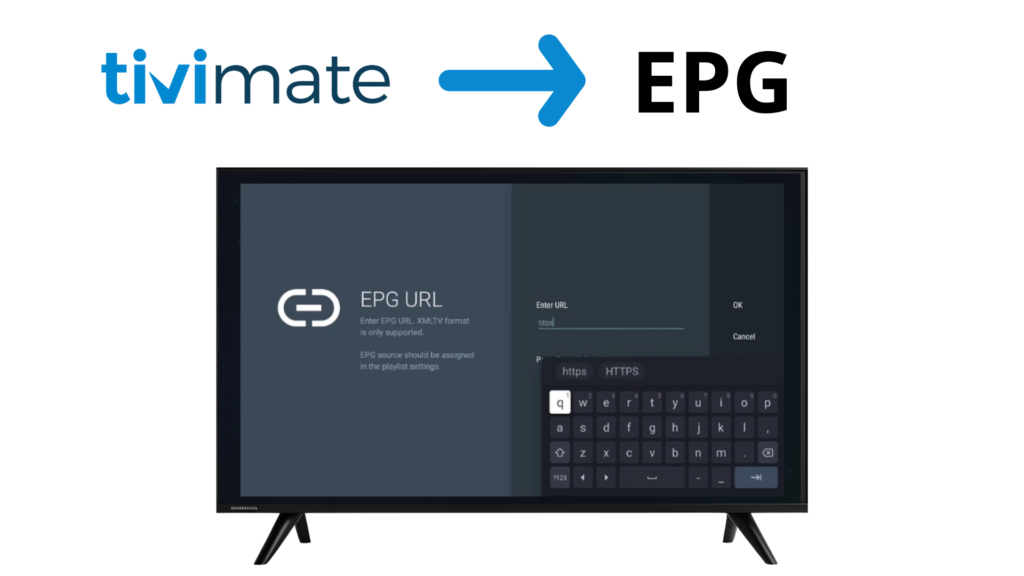
An EPG (Electronic Program Guide) is an essential feature in IPTV players like TiviMate. It allows users to see TV schedules, program details, and upcoming shows directly inside the app.
In this guide, you’ll learn what EPG is, how it works, and how to set up and fix EPG in TiviMate IPTV Player step by step.
⚠️ Important: TiviMate is an IPTV player only. It does not provide channels, playlists, or EPG data.
WHAT IS EPG?
EPG stands for Electronic Program Guide.
It displays information such as:
- Program names
- Start & end times
- Show descriptions
- Current & upcoming programs
EPG makes IPTV viewing more organized and easier to navigate.
✔ TV-like experience
✔ Better channel navigation
✔ Program scheduling
HOW EPG WORKS IN IPTV
EPG data is usually provided as a separate URL (often in XML format).
Your IPTV provider supplies this URL, and IPTV players like TiviMate use it to display program information.
EPG requires:
- An IPTV playlist (M3U or Xtream Codes)
- An EPG source (XML URL)
- Internet connection
TYPES OF EPG SOURCES
Automatic EPG
- Comes built-in with Xtream Codes login
- Loads automatically in most cases
Manual EPG
- Requires adding an EPG URL
- Common with M3U playlists
HOW TO SET UP EPG IN TIVIMATE
Step 1: Open TiviMate
Launch TiviMate IPTV Player on your device.
Step 2: Go to EPG Settings
1 – Open Settings
2 – Select EPG
Step 3: Add or Update EPG Source
1 – Select EPG Sources
2 – Add your EPG URL (if required)
3 – Save changes
Step 4: Refresh EPG Data
1 – Select Update EPG
2 – Wait for data to load
HOW TO USE EPG IN TIVIMATE
Once EPG is loaded, you can:
- View program schedules
- Scroll forward to see upcoming shows
- Check show details
- Navigate channels faster
COMMON EPG PROBLEMS & FIXES
EPG Not Showing
✔ Refresh EPG data
✔ Check EPG URL
✔ Wait a few minutes after loading playlist
Wrong Program Times
✔ Adjust Time Offset in EPG settings
Some Channels Missing EPG
✔ Channel may not be mapped
✔ IPTV source may not support EPG for that channel
EPG TIPS FOR BETTER EXPERIENCE
- Update EPG daily
- Use Xtream Codes for automatic EPG
- Keep TiviMate updated
- Set correct time zone
IS EPG LEGAL?
Yes. EPG is just program information.
The legality depends on the IPTV content source. TiviMate does not control or provide EPG data. Users are responsible for their IPTV sources.
Frequently Asked Questions – EPG (Electronic Program Guide)
EPG stands for Electronic Program Guide. It shows TV schedules, program details, and upcoming shows inside IPTV players like TiviMate.
EPG may not show if the EPG source is missing or outdated. Try refreshing EPG data or checking the EPG URL provided by your IPTV service.
No. TiviMate is an IPTV player only and does not provide EPG data. EPG information comes from the IPTV playlist or provider.
No. EPG is optional. You can watch channels without it, but EPG makes navigation and program scheduling much easier.
FINAL THOUGHTS
EPG is a powerful feature that transforms IPTV into a traditional TV-like experience. With proper setup in TiviMate, you can easily track programs, plan viewing, and enjoy smoother navigation.